Your ad account wants 182 creatives. You get one photoshoot a quarter.
TrySnap turns the product photos you already own into video assets. Pick a preset, get a clip in about 60 seconds. No photographer, no model, no studio day.
We're finishing the preset library now. Early access opens in batches, and the first one is small on purpose.
182 is the average creative count in AppLovin's June 2026 ecommerce test.
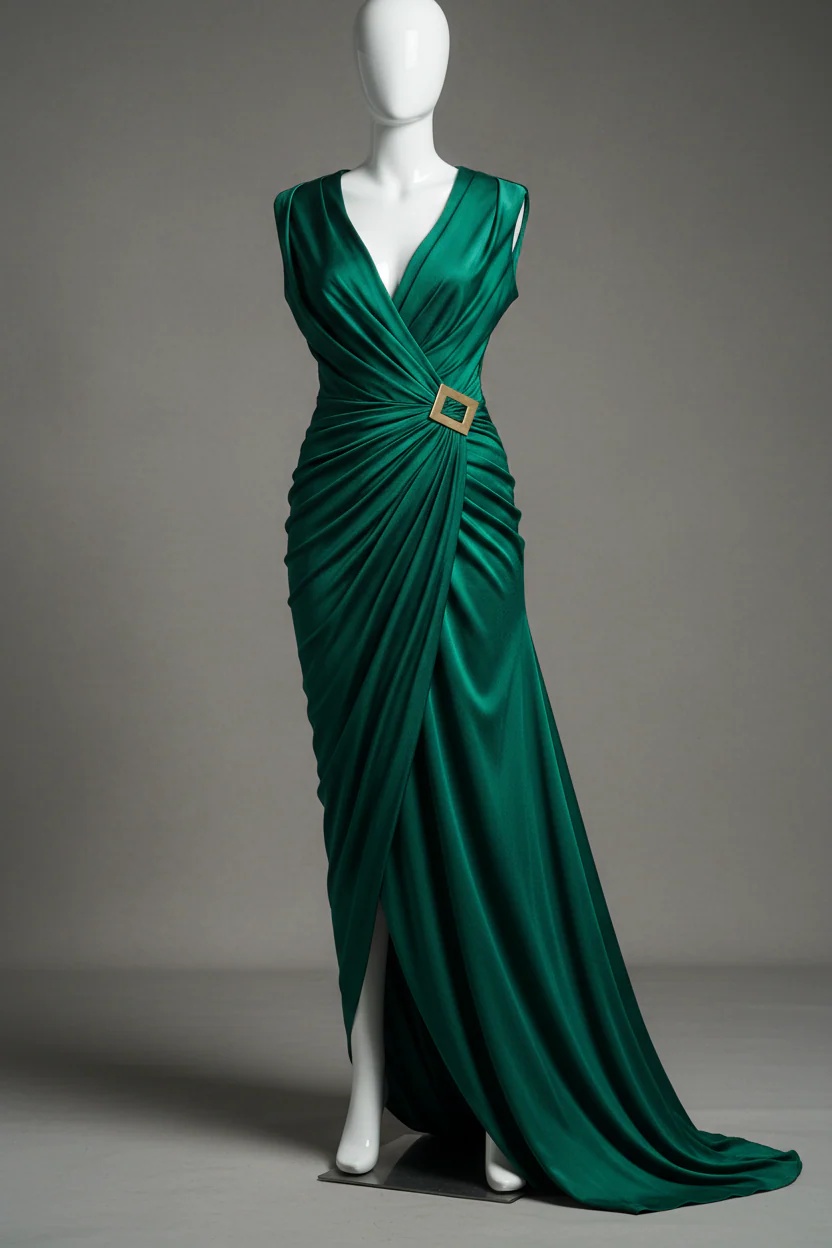
These started as flat product photos.
Every frame below came out of a still that would sit in a Shopify product media library. The original is tucked into the corner of each one, so you can see exactly what went in.
Sheet 01. One garment, four presets.
Same gown, same source photo. Each preset frames and moves it differently. This is what running the full set looks like.
Sheet 02. Across garment types.
A cotton cargo trouser, a velvet jacket, a structured trench and a satin gown need different motion settings. That's the part we're testing so your credits don't pay for it.
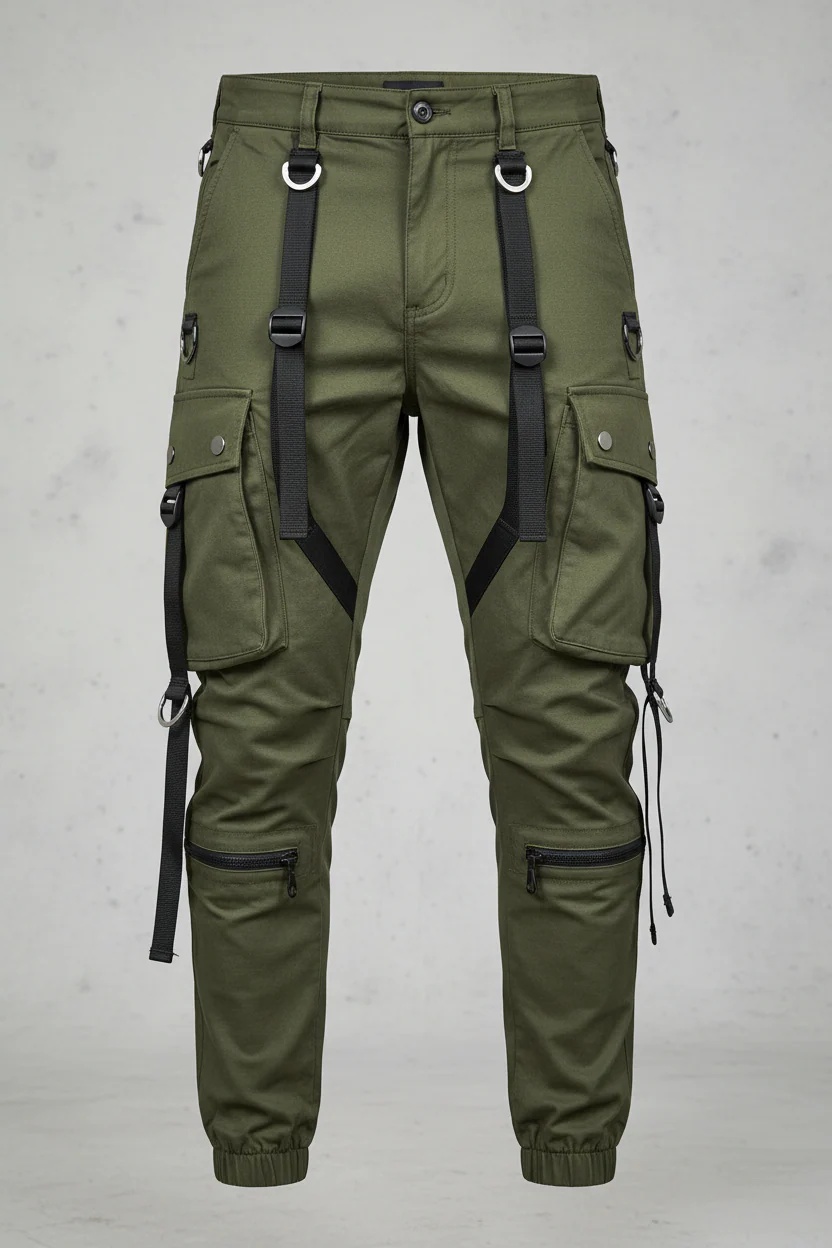
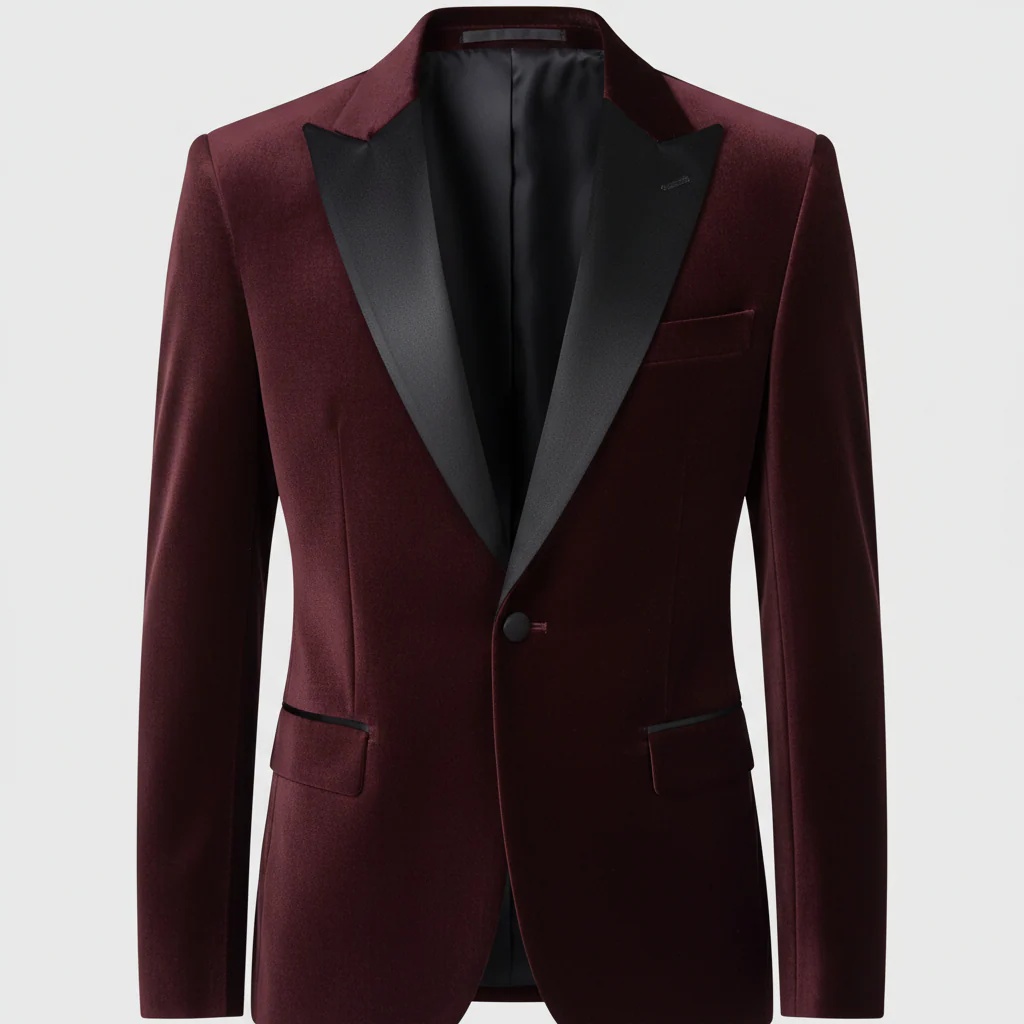
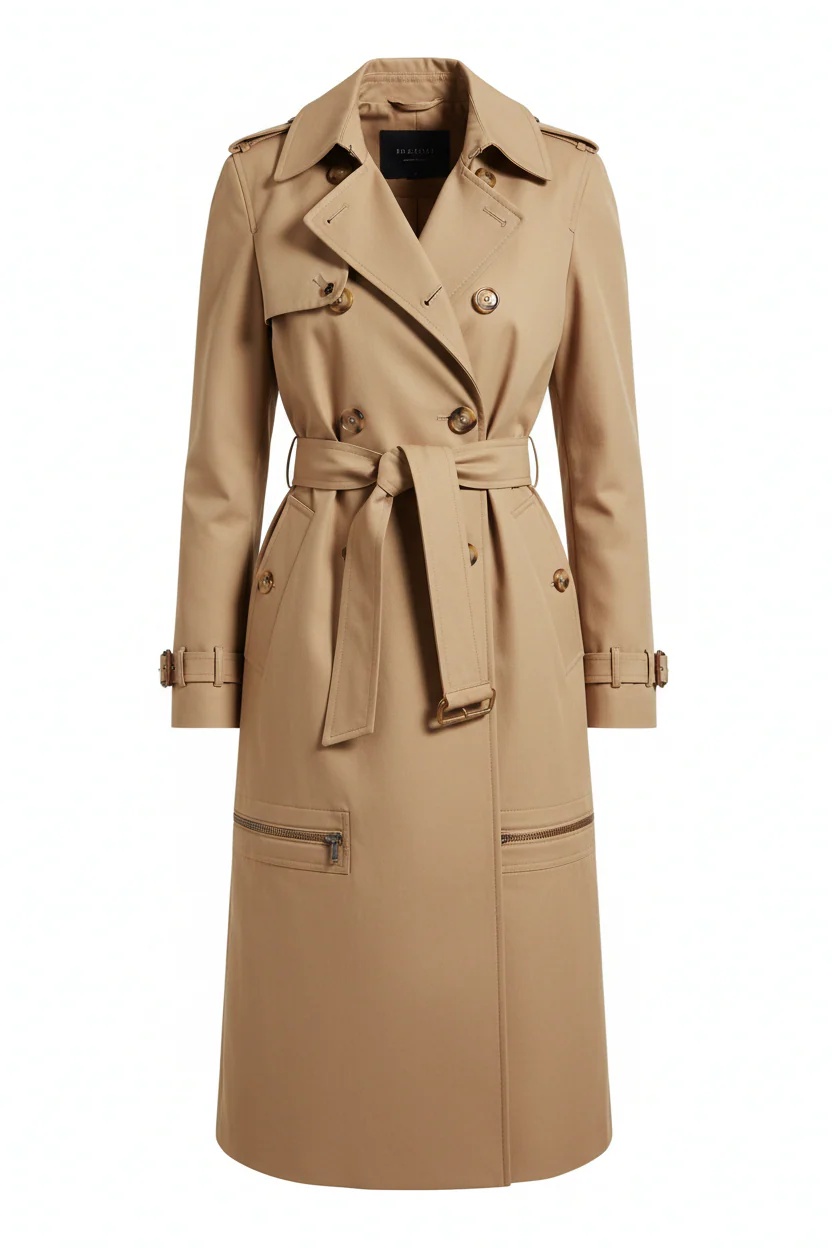
Every frame here started from a clean studio still with the full body visible, which is where this is strongest. Busy backgrounds, heavy layering and loud prints are harder, and you'd find that out in week one anyway. We'd rather you found it out on our credits than yours.
Rather see your own products than ours? Send three photos and we'll run them through the presets we're testing this week.
Your best five ads are costing you money.
AppLovin ran the test in June 2026. Same budget, same targets, two campaigns per brand. One ran every creative the brand had, an average of 182, ranging from 65 to 340. The other ran the five to ten the team had picked as winners.
The full set won every time, by 7 to 23 percent.
A clothing brand on the platform went from 20 creatives to over 350 across four weeks. Weekly spend went from $60,000 to $223,000 and ROAS held flat. Nothing else changed.
The reason is mechanical. The optimiser picks a different ad for every impression, and the ad that warms a shopper is rarely the one that gets last-click credit. Pause it and the ad that does get credit starts performing worse.
Meta and TikTok reward volume for the same reason, they just haven't published the experiment.
Which leaves most fashion brands in the same spot. You know you need more creative. You have one shoot a quarter and a designer already two drops behind.
average creative count in the winning arm
margin the full set won by
assets from one product shot, one per preset
Source: AppLovin ecommerce update, June 2026.
A shoot gives you one look. A drop needs forty.
Book a model, a photographer, a studio and a retoucher and you get a set of looks from one day, in one light, with one styling direction. Two weeks later, when the campaign needs a fresh angle, the only options are to re-cut the same footage or book again.
TrySnap runs on the photos already sitting in your Shopify product media. New angle on Tuesday, new assets on Tuesday.
| A shoot | Studio | |
|---|---|---|
| Lead time | 2 to 6 weeks | About 60 seconds |
| Cost per look | Studio day, model, retouching | One credit |
| New variant | Re-book or re-cut | Another preset |
| Whole catalogue | Not realistically | Bulk mode |
Three clicks, inside your Shopify admin.
This is the real flow, running on the sample garments above. Pick a product, pick a preset, generate. There's nowhere to type a prompt, and the cost of a press sits on the button before you press it.
From your Shopify product media. Nothing to upload.
We only show the presets that suit the garment.
No prompt field. That's the point.
Impossible presets grey out
Try the cargo trouser. Flat twill has no drape to move, so that preset isn't offered.
Retries cost a credit
Hit Regenerate and the meter drops. Priced on the button, not buried in a support article.
Three steps, and none of them are creative direction.
Connect your store.
One click from the Shopify App Store. Your product media is already there, so there's nothing to upload.
Pick a product and a preset.
Runway Walk, Turn & Reveal, Fabric Flow, Detail Zoom. We only show you the ones that suit the garment.
Download, or push it back.
Straight into your Shopify product media in one click, or download the file and hand it to your buyer.
What's done and what isn't.
The generation engine works. What we're finishing is the preset library, which is the part that decides whether your first attempt comes back usable or comes back as a melted hand.
We're running test generations across the garment types above, changing one variable at a time and scoring every output on garment fidelity, motion realism, identity stability and artifacts. The winners become the presets. That's the whole reason you won't be typing prompts.
- Generation engineDone
- Shopify catalogue connectionDone
- Preset libraryIn test now
- Bulk catalogue modeBuilt after batch one
- Brand kitBuilt after batch one
Batch one opens to a small group, because a preset library tested on our sample and nobody else's will have gaps. We'd rather find them with twenty brands who know they're early than with two hundred who don't.
Give us three of your products.
Most waitlists take your email and go quiet for six weeks.
Send us three product photos from your store. We put them through the presets we're testing this week and send the clips back, no charge and no call. You see your own garments moving before you decide anything.
If they're good, you're on the early access list at the launch price. If they're not, you've lost the two minutes it took to pick three photos, and you have told us something we needed to know about garments like yours.
Store URL and email. Nothing else.
What early access gets you
- The launch price, locked.Whatever you sign up at is what you pay, for as long as you stay.
- Bonus credits on your first month.Enough to run your top sellers through every preset instead of choosing.
- Your garments in the test set.The photos you send shape which presets exist.
- A direct line.You tell us what's wrong with the output and we fix the preset. That stops being possible at two hundred brands.
Bring three client stores and all four of you go into the same batch. We run the installs and support ourselves, so it's not another app on your plate. 30% recurring on anything your clients run.
Credits are attempts, and we say so.
One credit's one press of Generate, whether you keep the result or not, because that's how our own costs work. Retries are charged and we tell you next to the button. Failures on our side aren't. Credits roll over for 90 days.
For a first drop's worth of assets.
60 credits a month
- 720p output
- Full preset library
- Push to Shopify product media
- Email support
The volume AppLovin actually tested.
200 credits a month
- 1080p output
- Full preset library
- Bulk catalogue mode
- Brand kit
- Priority queue
- Email and a CS team
For multi-brand operators and agencies.
600 credits a month
- 1080p output
- Full preset library
- Bulk catalogue mode
- Brand kit
- Advanced prompts
- Priority queue
- Slack and a CS team
Studio Plus puts you inside the range AppLovin tested. 200 credits a month, every month, on top of what you already have.
Every plan, side by side
| Studio Core | Studio Plus | Studio Ultra | |
|---|---|---|---|
| Price | $79/mo | $199/mo | $499/mo |
| Credits per month | 60 | 200 | 600 |
| Resolution | 720p | 1080p | 1080p |
| Preset library | Full | Full | Full |
| Bulk catalogue mode | |||
| Brand kit | |||
| Advanced prompts | |||
| Priority queue | |||
| Support | Email / CS team | Slack / CS team |
Top-ups
Nothing's charged until batch one opens, and there's a 14-day trial when it does. Cancel from your Shopify admin, no email required.
Unwatermarked, and yours after you cancel.
- 9:16, unwatermarked.The format paid social leads with. Crop it yourself if a placement needs something squarer.
- Yours after you cancel.Uninstall and the files stay in your library.
- Bulk mode on Plus and Ultra.Queue a collection, come back to a folder.
- Brand kit on Plus and Ultra.Lock a model and a styling direction so a collection looks like a collection.
- Push to Shopify product media in one click.Or download and hand them to your buyer.
One thing worth checking on your side: if the source photo has a hired model in it, confirm the release covers AI-generated derivative video. Most releases were written for stills.
What you're probably wondering.
When does it open?
In small batches, rather than dropping you into a queue you can't see. If you send us three photos we'll come back with clips well before that.
Why not just launch it?
Because the preset library isn't finished, and the preset library is the product. Shipping it half-tested means your first three generations come back wrong, you decide AI video doesn't work, and we've spent your goodwill to save four weeks.
Will they look AI-generated?
Some will. Clean garment shots with a visible full body work best. Heavy layering, busy prints and cluttered backgrounds are harder. Send us three of your own products and you'll know rather than guess.
See the framesAm I committing to anything?
No. Early access is a place in the batch and a locked price. No card, no contract, and you can tell us no when it opens.
Can I use these in paid ads?
Yes. They are your assets and we don't watermark them. Check that your model release covers derivative video if the source photo has a hired model in it.
How long are the clips?
Five seconds each. If you're briefing for a platform that wants 30 seconds or more, cut three or four together. Most teams are already doing that with UGC.
Do I have to install anything on my storefront?
No. Studio runs entirely inside your Shopify admin. Nothing is added to your theme and nothing loads on your product pages. Generate, download, and use the files wherever you want.
What if the output is bad?
Regenerate. It costs another credit, and we tell you that next to the button rather than after. If the generation fails on our side, you're not charged.
What if I don't use my credits?
They roll over for 90 days. Fashion runs on a four to eight week drop cadence and we priced around that.
What happens to the photos I send you?
We generate from them, send you the clips, and use what we learn to tune the presets. We don't publish anything with your name on it unless you tell us we can.
Privacy policyCan I cancel?
From your Shopify admin. No email, no retention call. Your generated videos stay yours.
Your next drop needs assets either way.
Pick three products. Send the photos. See your own garments moving before you decide anything at all.
- No card
- No call
- Locked launch price if you want in